Getting Started
Rigour is designed to be set up in under 60 seconds. You can run it directly with npx (no install required) or install it globally.
See It First
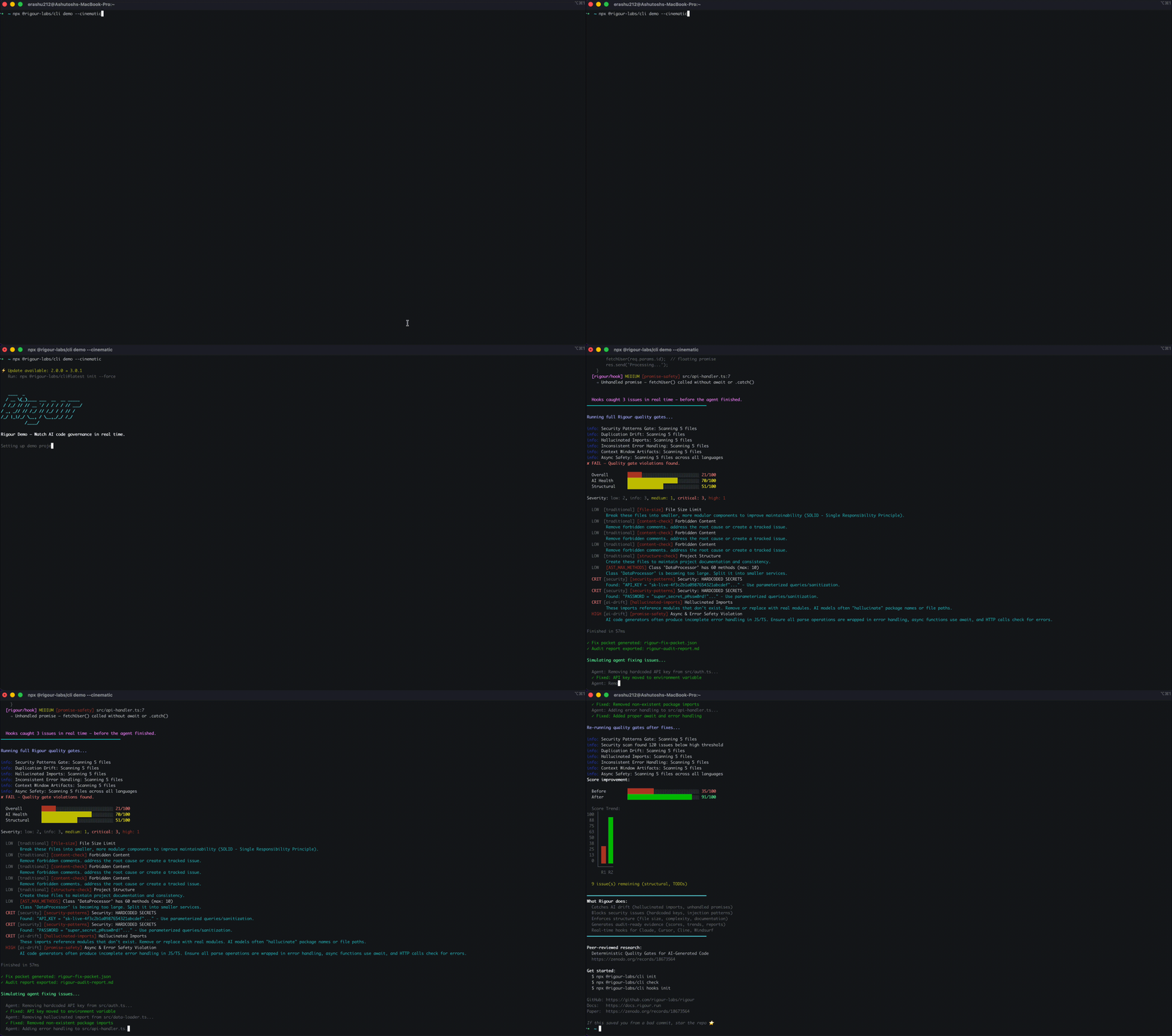
Before installing anything, watch the cinematic demo:
npx @rigour-labs/cli demo --cinematic
1. Installation
The Zero-Install Way (Recommended)
npx @rigour-labs/cli --help
Global Installation
npm install -g @rigour-labs/cli
2. Project Setup
npx @rigour-labs/cli scan              # zero-config scan — auto-detects stack, runs 27+ gates
npx @rigour-labs/cli init              # create rigour.yml + install hooks
npx @rigour-labs/cli hooks init        # install real-time hooks for your AI tool
rigour scan works with zero config — it auto-detects your language, framework, and paradigm via the DiscoveryService. No rigour.yml needed.
rigour init creates a rigour.yml and automatically:
- Detects your project role (API, UI, infra, data) and paradigm (OOP, functional)
- Creates IDE-specific config files (Claude Code, Cursor, Cline, Windsurf, Aider, Copilot, RooCode)
- Installs real-time hooks for your detected AI tool
- Configures
.gitignorewith Rigour artifacts
3. Fast Verification
To see Rigour catch real issues immediately:
- Create a "messy" file
bad.py:def compute(a, b, c, d, e, f, g, h, i, j):
# Too many parameters!
pass - Run a check:
npx @rigour-labs/cli check - Result: Rigour will flag the complexity violation and offer a "Fix Packet" for your AI agent to follow.
4. Demo Modes
Explore all demo modes to see different aspects of Rigour:
npx @rigour-labs/cli demo                 # default: full gate check
npx @rigour-labs/cli demo --hooks         # hooks simulation only
npx @rigour-labs/cli demo --cinematic     # full cinematic: hooks → gates → fix → score
npx @rigour-labs/cli demo --speed fast    # speed up for quick demos
5. Deep Analysis (Optional)
Deep Analysis uses LLM interpretation to check code against 40+ quality categories (SOLID, design patterns, concurrency, architecture).
Local LLM (Recommended — No API Key Needed)
Rigour ships with a local LLM option (Qwen2.5-Coder-0.5B) that runs entirely on your machine. No API key, no cloud, no cost:
# Auto-downloads model on first run (~350MB)
npx rigour scan --deep
npx rigour check --deep --provider local
Cloud Providers (Alternative)
For larger codebases or higher accuracy, use a cloud provider:
# Check readiness
rigour setup

# Configure API key
rigour setup --configure anthropic

# Run with cloud provider
npx rigour check --deep --provider anthropic --model claude-opus-4-6
Configuration
Edit your rigour.yml:
gates:
  deep:
    enabled: true
    provider: local          # local (default), anthropic, openai
    model: Qwen2.5-Coder-0.5B
    checks:
      - solid_principles
      - design_patterns
      - error_handling
      - concurrency
      - testing
      - architecture
      - language_idioms
      - performance
      - code_smells
Deep Analysis findings are verified against the AST to eliminate hallucinations. See Deep Analysis for full documentation.
Next Steps
- Real-Time Hooks: Set up hooks for Claude Code, Cursor, Cline, Windsurf, Aider, Copilot, or RooCode.
- CLI Commands: Full reference of all commands including
scan,check,demo. - OWASP Coverage: See how Rigour covers all 10 OWASP LLM risks.
- Deep Analysis: Local LLM (Qwen2.5-Coder) or cloud-powered semantic analysis of 40+ categories.
- Governance Studio: How to use the visual control room.
- MCP Server: Connecting Rigour directly to Cursor or Claude Code.