Real-Time Hooks
Rigour hooks run inside your AI coding tool and catch issues the instant code is written — before files are saved, before CI runs, before code review.
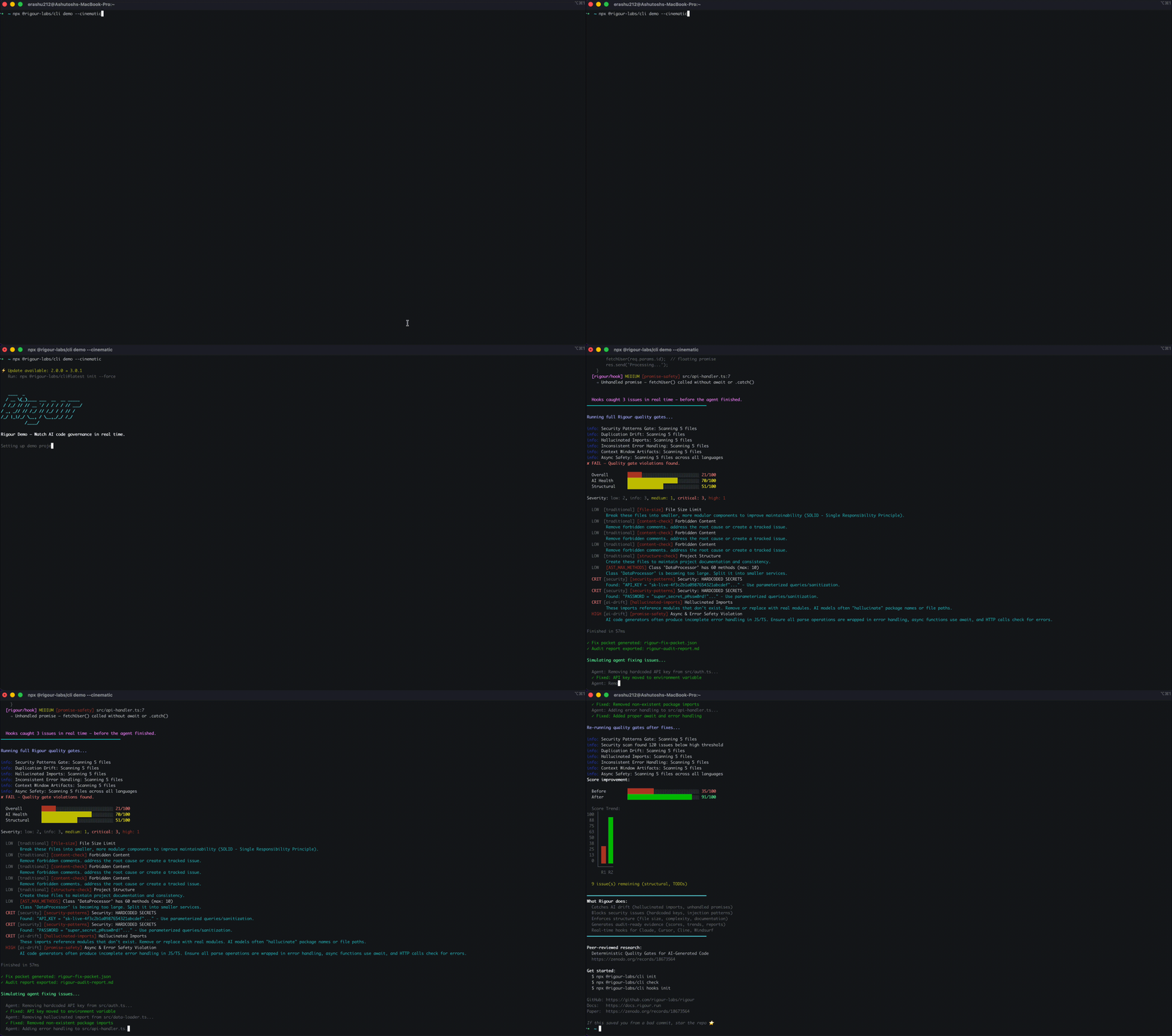
Two-Tier Supervision Model
Rigour uses a two-tier approach to agent supervision:
| Tier | When it runs | Latency | What it checks |
|---|---|---|---|
| Inline (Hooks) | Every file write/edit | <100ms | File size, hardcoded secrets, hallucinated imports, command injection, memory governance |
| Checkpoint (Full Suite) | On demand or at intervals | 2–5s | All 27+ gates, deep analysis, duplication drift, style drift, logic drift |
Hooks are the inline tier. They provide continuous, low-latency feedback on every file the agent writes. The full suite (rigour check) runs as a checkpoint when you need comprehensive analysis.
How Hooks Work
Each AI coding tool has its own hook system with different config formats, event names, and communication protocols. Rigour generates the correct configuration for each tool automatically.
Two hook types are installed per tool:
- PostToolUse / afterFileEdit / post_write_code — quality checks after every file write
- PreToolUse / beforeFileEdit / pre_write_code — DLP credential interception before agent processing
The quality checker runs five fast gates:
- Memory & Skills Governance — blocks agent writes to native memory paths (CLAUDE.md, .clinerules, etc.)
- File Size — flags files exceeding your configured line limit (default: 500)
- Hallucinated Imports — detects relative imports that don't resolve to existing files
- Promise Safety — catches
JSON.parse()without try/catch and unhandledfetch() - Security Patterns — hardcoded secrets (20+ char values), command injection via template literals in exec/spawn
Installation
Automatic (Recommended)
npx @rigour-labs/cli init
When rigour init detects your AI tool, it automatically installs hooks. No extra step needed.
Manual
npx @rigour-labs/cli hooks init                    # auto-detect tool
npx @rigour-labs/cli hooks init --tool claude      # specific tool
npx @rigour-labs/cli hooks init --tool cursor
npx @rigour-labs/cli hooks init --tool cline
npx @rigour-labs/cli hooks init --tool windsurf
npx @rigour-labs/cli hooks init --tool aider
npx @rigour-labs/cli hooks init --tool copilot
npx @rigour-labs/cli hooks init --tool roocode
npx @rigour-labs/cli hooks init --tool all         # all tools at once
Options
npx @rigour-labs/cli hooks init --dry-run          # preview without writing
npx @rigour-labs/cli hooks init --force            # overwrite existing hooks
npx @rigour-labs/cli hooks init --block            # exit code 2 on failures
npx @rigour-labs/cli hooks init --no-dlp           # skip DLP hooks
Supported Tools — Protocol Details
Each tool has a different hook system. Rigour handles the differences so you don't have to.
Claude Code
| Property | Value |
|---|---|
| Config file | .claude/settings.json |
| Quality hook | PostToolUse with matcher Write|Edit|MultiEdit |
| DLP hook | PreToolUse with matcher .* |
| Protocol | JSON on stdin → JSON on stdout, exit codes |
| Blocking | PreToolUse can block (exit 2). PostToolUse provides context only. |
Generated config structure:
{
  "hooks": {
    "PostToolUse": [{
      "matcher": "Write|Edit|MultiEdit",
      "hooks": [{
        "type": "command",
        "command": "rigour hooks check --files \"$TOOL_INPUT_file_path\""
      }]
    }],
    "PreToolUse": [{
      "matcher": ".*",
      "hooks": [{
        "type": "command",
        "command": "rigour hooks check --mode dlp --stdin"
      }]
    }]
  }
}
Cursor
| Property | Value |
|---|---|
| Config file | .cursor/hooks.json |
| Quality hook | afterFileEdit |
| DLP hook | beforeFileEdit |
| Protocol | JSON on stdin → JSON on stdout |
| Blocking | Post-hooks cannot block. Pre-hooks can return permission: false. |
Generated config structure:
{
  "version": 1,
  "hooks": {
    "afterFileEdit": [{ "command": "rigour hooks check --stdin" }],
    "beforeFileEdit": [{ "command": "rigour hooks check --mode dlp --stdin" }]
  }
}
Cline
| Property | Value |
|---|---|
| Config location | .clinerules/hooks/PostToolUse (executable file) |
| Quality hook | PostToolUse — filters for write_to_file and replace_in_file tools |
| DLP hook | PreToolUse — scans all tool input text for credentials |
| Protocol | JSON on stdin with { toolName, toolInput } → JSON on stdout with { contextModification } |
| Blocking | PreToolUse can block (exit 2 + cancel: true). PostToolUse injects context. |
| Timeout | 30 seconds |
Generated files: executable Node.js scripts that parse stdin, filter by tool name, spawn the Rigour checker, and format output as Cline expects.
Windsurf
| Property | Value |
|---|---|
| Config file | .windsurf/hooks.json |
| Quality hook | post_write_code |
| DLP hook | pre_write_code |
| Protocol | Command execution with JSON stdin |
| Blocking | Pre-hooks can block (exit 2). Post-hooks provide feedback. |
| Hierarchy | System → User → Workspace (workspace hooks override) |
Generated config structure:
{
  "version": 1,
  "hooks": {
    "post_write_code": [{ "command": "rigour hooks check --stdin" }],
    "pre_write_code": [{ "command": "rigour hooks check --mode dlp --stdin" }]
  }
}
What Hooks Catch
Hardcoded Secrets (Critical)
// BLOCKED by hook:
const API_KEY = "sk-live-4f3c2b1a0987654321abcdef";
Hallucinated Imports (High)
// BLOCKED by hook:
import { magicParser } from './ai-data-magic';  // file doesn't exist
Command Injection (Critical)
// BLOCKED by hook:
exec(`rm -rf ${userInput}`);  // template literal in shell command
Promise Safety (Medium)
// FLAGGED by hook:
const data = JSON.parse(raw);  // crashes on malformed input — needs try/catch
Memory Governance (Critical)
// BLOCKED: Agent writing to native memory path
// File: CLAUDE.md → use rigour_remember instead
File Size (Medium)
Files exceeding your configured line limit (default: 500 lines) are flagged before they grow out of control.
DLP (Data Loss Prevention)
DLP hooks intercept credentials before they reach the AI agent. When a user pastes an AWS key into their prompt or a tool input contains a database URL, the PreToolUse hook catches it.
29 credential patterns detected in real-time (<50ms):
- Cloud keys (AWS, GCP, Azure)
- API tokens (OpenAI, Anthropic, GitHub, Stripe, Twilio, Slack, SendGrid)
- Private keys (RSA, EC, OPENSSH, ED25519)
- Database URLs (PostgreSQL, MongoDB, MySQL, Redis, AMQP)
- Bearer tokens and JWTs
- Base64/hex-encoded secrets (entropy detection)
- CI/CD tokens (Docker, NPM, PyPI, Sonar, Codecov, Sentry, Datadog)
DLP is on by default. To disable:
npx @rigour-labs/cli hooks init --no-dlp
Hook Output
When a hook catches an issue, your AI tool sees output like:
[rigour/security-patterns] src/auth.ts:3: Possible hardcoded secret or API key
[rigour/hallucinated-imports] src/data-loader.ts:2: Import './ai-data-magic' does not resolve to an existing file
The AI agent can then self-correct before continuing.
Blocking Mode
By default, hooks provide informational feedback. Use --block to make hooks return exit code 2 on failures, which tells supported tools to halt:
npx @rigour-labs/cli hooks init --block
This is useful in strict environments where you want to prevent the agent from proceeding when quality gates fail.
Configuration
Hooks respect your rigour.yml configuration:
gates:
  max_file_lines: 500          # file size limit
  governance:
    enabled: true              # memory & skills governance
    enforce_memory: true       # block native agent memory writes
    enforce_skills: true       # block native agent skills writes
    block_native_memory: true  # hard block vs warning-only
MCP Integration
The same hook checks are available as MCP tools for agent-side invocation:
rigour_hooks_check   — fast file check, also accepts text param for DLP
rigour_hooks_init    — install hooks for any agent (DLP on by default)
Next Steps
- CLI Commands: Full reference including
hooks initandhooks checkoptions. - Security Patterns: Deep dive into all 27+ vulnerability patterns.
- OWASP Coverage: How hooks contribute to OWASP LLM Top 10 coverage.
- Checkpoint Supervision: The full-suite complement to inline hooks.